Migrate from other tools
Import your questions from Moodle, AMC, a spreadsheet or a Word document, as a subject or a pool.
Written By Florian Barral
Last updated 13 days ago
Were you using another tool for your paper MCQs? You can import your questions into Papeez, as an exam subject or as a question pool, without retyping them.
Where to start
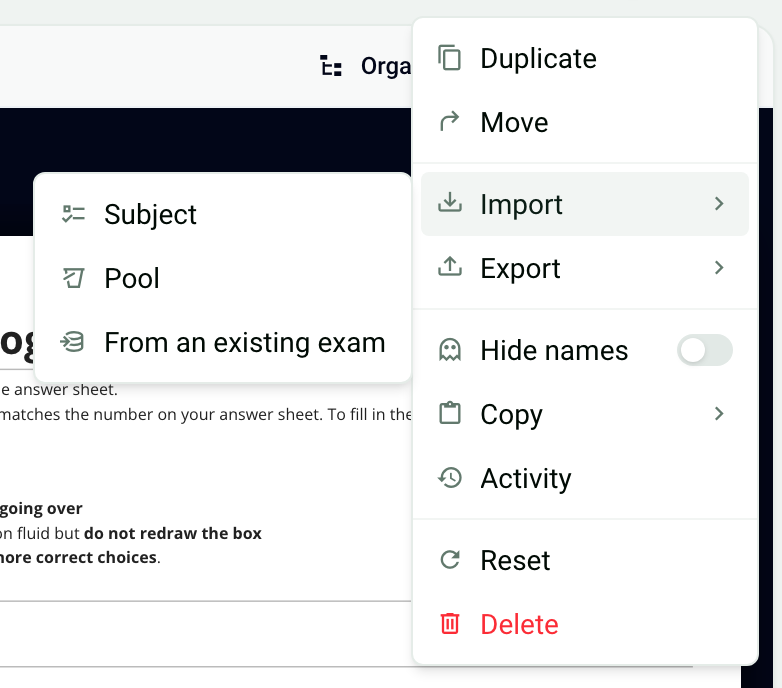
In an exam, the ⋮ menu at the top right offers Import, with three entries:
Subject: import a complete exam subject.
Pool: import a pool of questions or exercises, from which Papeez draws questions at random for each copy.
From an existing exam: reuse the subject, settings or participants of another of your Papeez exams.
Importing a subject replaces the existing questions, and importing a pool replaces the existing pools. These imports are only possible as long as the copies are not generated. To compare the formats, see Import a subject: which format to choose?.
From Moodle
Export your questions from your Moodle course's question bank in Moodle XML format, then import the .xml file:
as a Subject, to make them the exam's questions: see Import a subject from Moodle XML;
as a Pool, to draw questions at random in each copy: see Exercise pools and random drawing.
From AMC (Auto Multiple Choice)
If your subjects are written for AMC, import them in AMC Text format. See Import a subject in AMC Text format.
From a spreadsheet, a Word document or another tool
Your questions are in a spreadsheet, or the tool can export to Excel: use the Excel format, which also imports points, tags and columns. It can also import a pool. See Import a subject from Excel.
Your questions are in a Word document or a text file: copy and paste them following the text format. See Import a subject in Text format.
Question pools
Pools belong to each exam: they are not shared between exams. To reuse a pool, import it into each exam, or duplicate an exam that contains it (⋮ menu › Duplicate). See Exercise pools and random drawing.
And your participant lists
Participants are enrolled from an Excel file, by pasting a list of email addresses, or from a group of your organization. See Import participants.
Was this helpful?
Still need help? Ask the team