Private space vs team spaces
Store your exams in your private space, or manage them with others in a team space.
Written By Dorian Becker
Last updated 9 days ago
In Papeez, your exams are stored in two types of spaces, visible in the sidebar: your Private Space, for your personal use, and the Team Spaces, for working with others.
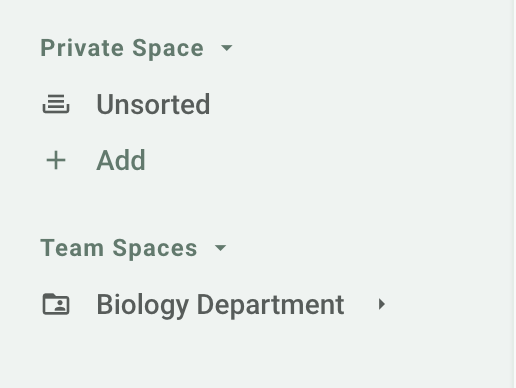
Your private space
Your private space is visible only to you. A new exam is created there by default, in Unsorted.
Create your own folders there to organize your exams by subject, class or year. You can share a private exam with a colleague case by case: see Share exams with colleagues.
The private space suits you when you work alone, or when you only share a few exams.
Team spaces
A team space gathers the exams a team manages together: a department, a program, a jury. Its members access all its folders and exams, according to their role.
To create one, click Team Spaces in the sidebar, then New Team Space. You get full control of it and can add members.
Team spaces suit you when several people prepare, print, scan or grade the same exams.
Turn a private folder into a team space
Open the folder in your private space.
Click the folder's ⋮ menu, then Move.
Choose the Team Spaces tab, without selecting a subfolder.
Click Move to Team Spaces.
The folder leaves your private space and becomes a team space, with all its content. Only folders can become a team space, not a single exam.
For administrators
Organization administrators have access to all team spaces, even those they are not a member of. Click View all next to Team Spaces in the sidebar to display them.
Frequently asked questions
Can I manage all my exams in my private space?
Can I manage all my exams in my private space?
Yes, if your use is personal or if you share your exams case by case.
I can't create a team space
I can't create a team space
Team spaces are part of the Organization plan, which lets you work with others. Contact us to set it up.
Was this helpful?
Still need help? Ask the team