Export enrolled participants
Download the list of participants enrolled in an exam as an Excel file.
Written By Florian Barral
Last updated 9 days ago
Get the list of participants enrolled in an exam as an Excel file.
Export the list
Open the Assign step, Students tab.
Check the box at the top of the column to select the participants shown, or check them one by one.
In the bar that appears at the bottom of the page, click Export.
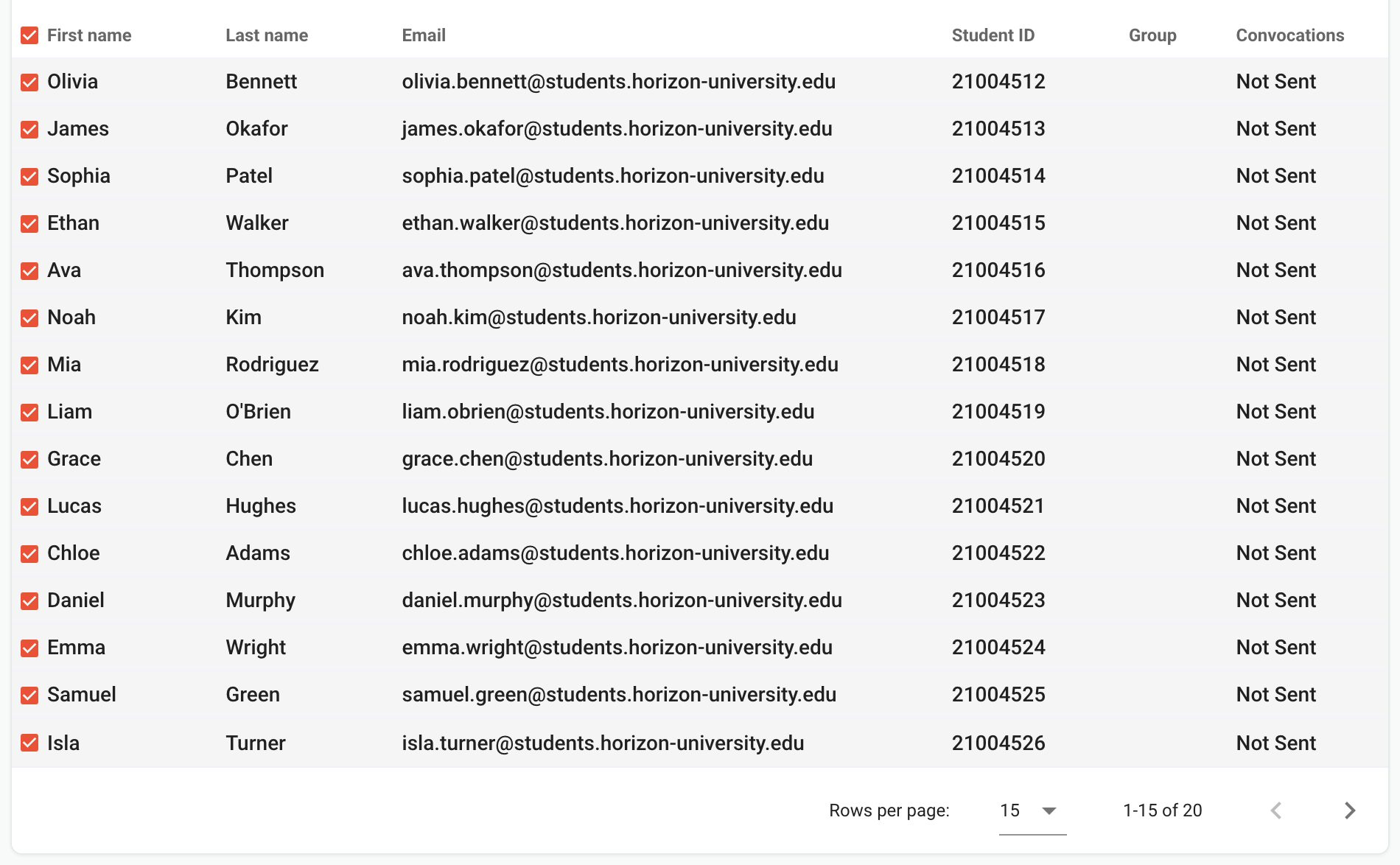

The file contains, for each selected participant, their first name, last name, email, student ID and groups.
More than 15 participants
The list shows 15 participants per page, and the box at the top of the column only selects the page shown. To export everything at once, choose 100 rows per page at the bottom of the table before checking the box. Beyond 100 participants, export page by page.
Frequently asked questions
The Export button does not appear
The Export button does not appear
The action bar only appears once at least one participant is checked.
How do I export participants with their grades?
How do I export participants with their grades?
Use the grades export, in the Results step: it also contains the participants' information. See Export grades.
Was this helpful?
Still need help? Ask the team