Export grades
Export grades to Excel: grades only, detailed grades or grades per tag.
Written By Florian Barral
Last updated 2 days ago
Export the exam's grades to Excel, to copy them into your student information system or to rework the grading scheme.
Export
Open the Results step, Grades tab.
Click Export, at the top right of the table.
Choose the file.
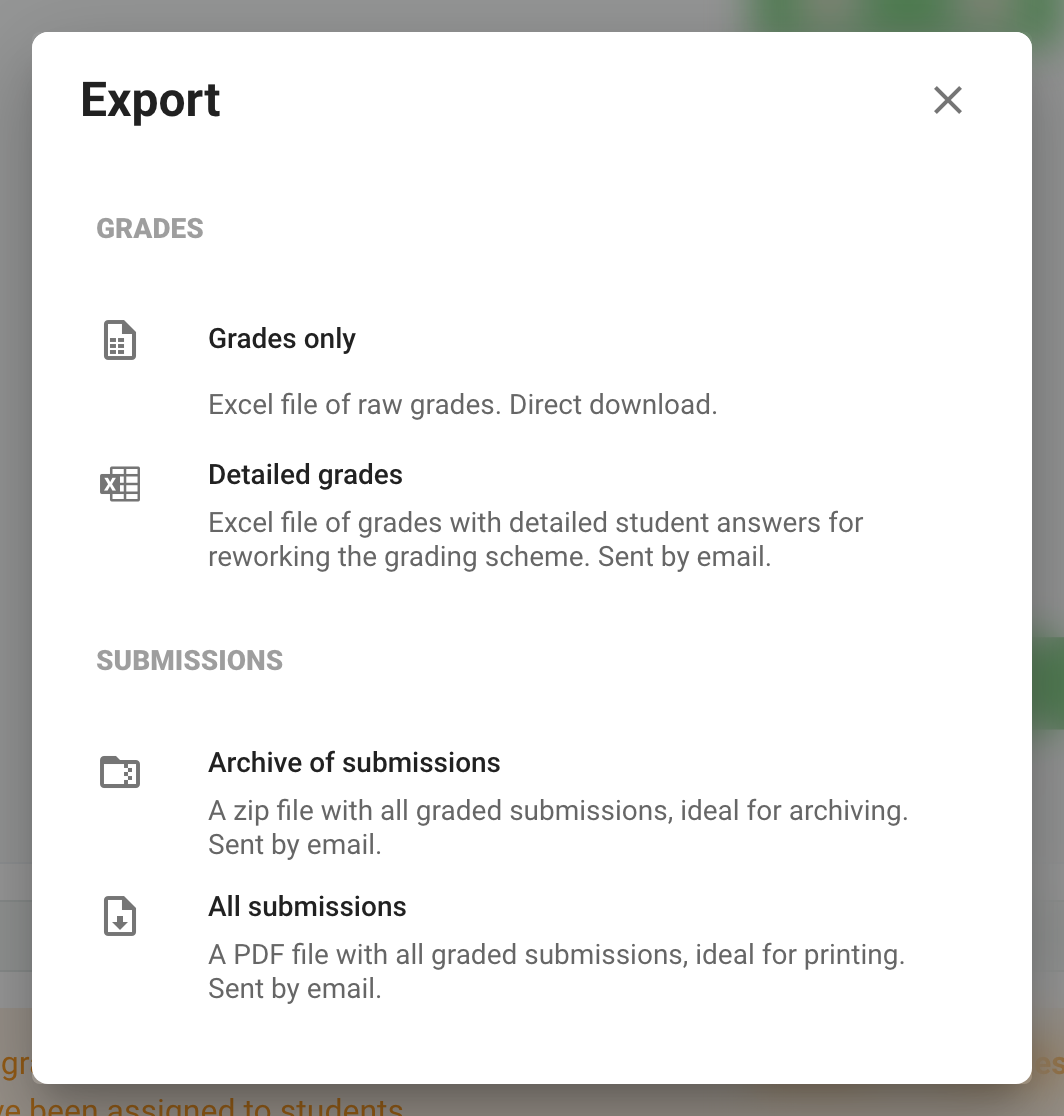
For a file sent by email, Papeez shows your address: you can replace it, for example with the registrar's address, then click Export.
The SUBMISSIONS part of the same menu exports the graded submissions as PDF: see Download graded submissions as PDF.
Read the "Detailed grades" file
The Grades tab gives each participant's final grade.
Each question has its own tab (Q1, Q2…). Its Non-weighted points column gives the points before weighting, out of 1 point.
For a choice question, the participant didn't check any box when the Correct choices ticked (True Positives) and Incorrect choices ticked (False Positives) columns are both 0. Don't rely on Non-weighted points for this: a wrong answer can also be worth 0 points.
The Weights tab contains the points of each question: a 5-point question weighs 5 times more than a 1-point question.
Get a grade per tag
If your questions have tags (for example a chapter or a skill), the Detailed grades per tag export adds a Tags weights tab and a Grades by tab for each tag category. This export is in beta: turn it on in Settings › Beta features › Grade export by tags (your name menu, at the bottom of the sidebar). For success per tag online, see View statistics.
Frequently asked questions
Why is the "Detailed grades" export grayed out?
Why is the "Detailed grades" export grayed out?
The Detailed grades and Detailed grades per tag exports are not available with Discordance scoring (Configure step, MCQ Grading section). Use Grades only.
The file does not contain all the grades
The file does not contain all the grades
A scanned copy that is not yet matched to a participant has no grade. First handle the pages to review in the Scan step, then export again. See View grades and submissions.
How do I know if the grades changed since my last export?
How do I know if the grades changed since my last export?
Under each export, Papeez shows the date of the last export and flags Grades have changed since the last export. when that is the case, for example after a grading scheme fix.
Was this helpful?
Still need help? Ask the team