Fix the subject and recalculate grades
Change the correct answer or the points of a question after the scan, then recalculate all grades.
Written By Florian Barral
Last updated 9 days ago
A mistake in the subject, such as a wrong answer marked as correct, can be fixed after the scan. Papeez then recalculates the grades of all copies, without scanning again.
What you can change
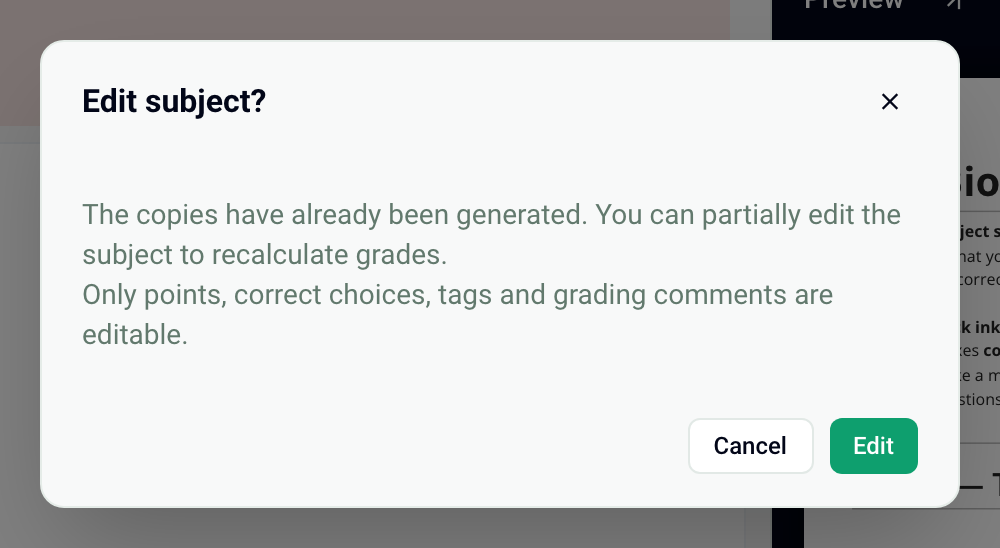
Once the copies are generated, the subject is printed: its text no longer changes. You can still change the points, the correct choices, the tags and the grading comments. You can no longer change the question text or the choice text, nor add, delete or move a question.
Change the correct answer and recalculate grades
Open the Create › Subject tab.
Click Edit at the top right, then confirm with Edit.
Check or uncheck the correct choices, or change the points of the questions concerned.
Click Update grades.

Papeez recalculates all grades in the background, then updates them in Results › Grades. The banner “The exam has been generated, you can no longer edit it.” stays visible: it concerns the subject text, not the points or the correct answers.
Neutralize a question
To remove a question from the grade, set its points to 0, then click Update grades.
After the recalculation: graded submissions and grades already sent
PDF graded submissions: Papeez creates the PDF when you download or export it, from the answers and grades at that moment. A file downloaded before the recalculation does not change: download or export it again once the recalculation is done.
Grades already sent by email: the email contains the grade at the time it was sent. Send the grades again to share the new one.
See Download graded submissions as PDF and Share grades with participants.
Change the subject text
The text can only be changed by deleting the generated copies, in Print › Generate copies. Copies already printed can then no longer be graded automatically: never do this after handing out the copies. To point out a typo to participants, use the grading comment of the question instead. See Generate the copies to print.
Frequently asked questions
Only one copy is graded wrong
Only one copy is graded wrong
If the problem comes from a box misread on one copy, it is not the subject you need to fix but the boxes of that copy. See Fix the boxes read on a copy.
I want to change the multiple choice grading scheme
I want to change the multiple choice grading scheme
The graded submission still shows the old correct answer
The graded submission still shows the old correct answer
The file was downloaded before the recalculation. Check in Results › Grades that the participant's grade has changed, then download their graded submission again.
Was this helpful?
Still need help? Ask the team