Handle the pages to review
The pages Papeez could not process on its own, and the analysis statuses of the scans.
Written By Florian Barral
Last updated 9 days ago
After the import, most pages are analyzed and graded without any action from you. The others appear in the Pages to review block of the Scan › Import scans tab. Each row shows a number of pages and a Details button to handle them.
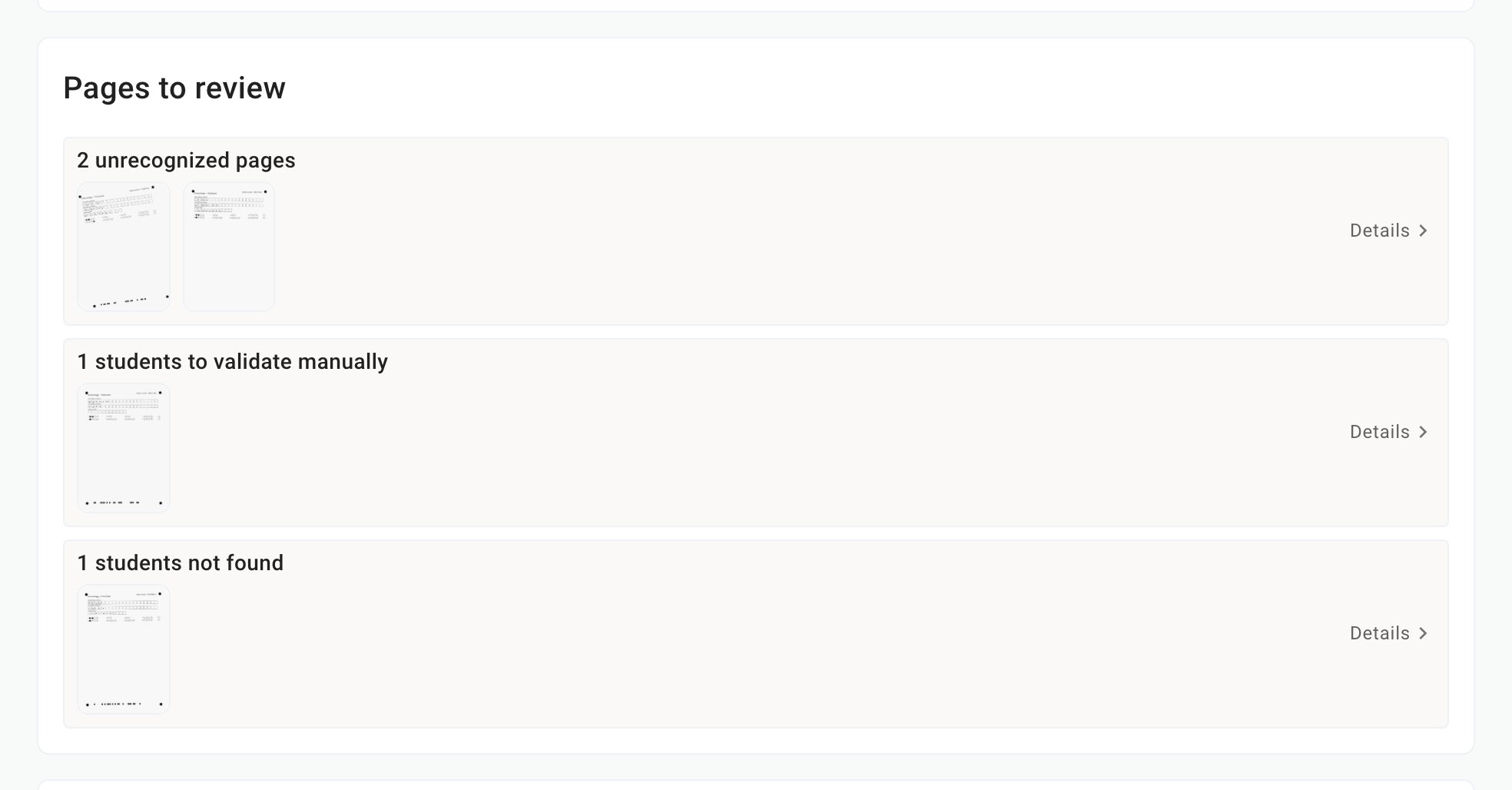
The three cases to handle
A page not yet matched to a participant has no grade. Once every page is handled, the block disappears.
The statuses of a page
In the list of scanned sheets, the Status column shows where each page stands:
In progress: the analysis is not finished.
Analyzed: the page is matched to a participant and graded.
Page not recognized, Duplicate or Other exam: the page needs handling in the unrecognized pages.
Student to manually confirm or Student not found: the page needs to be matched to a participant.
Archived: the page was set aside and does not count.
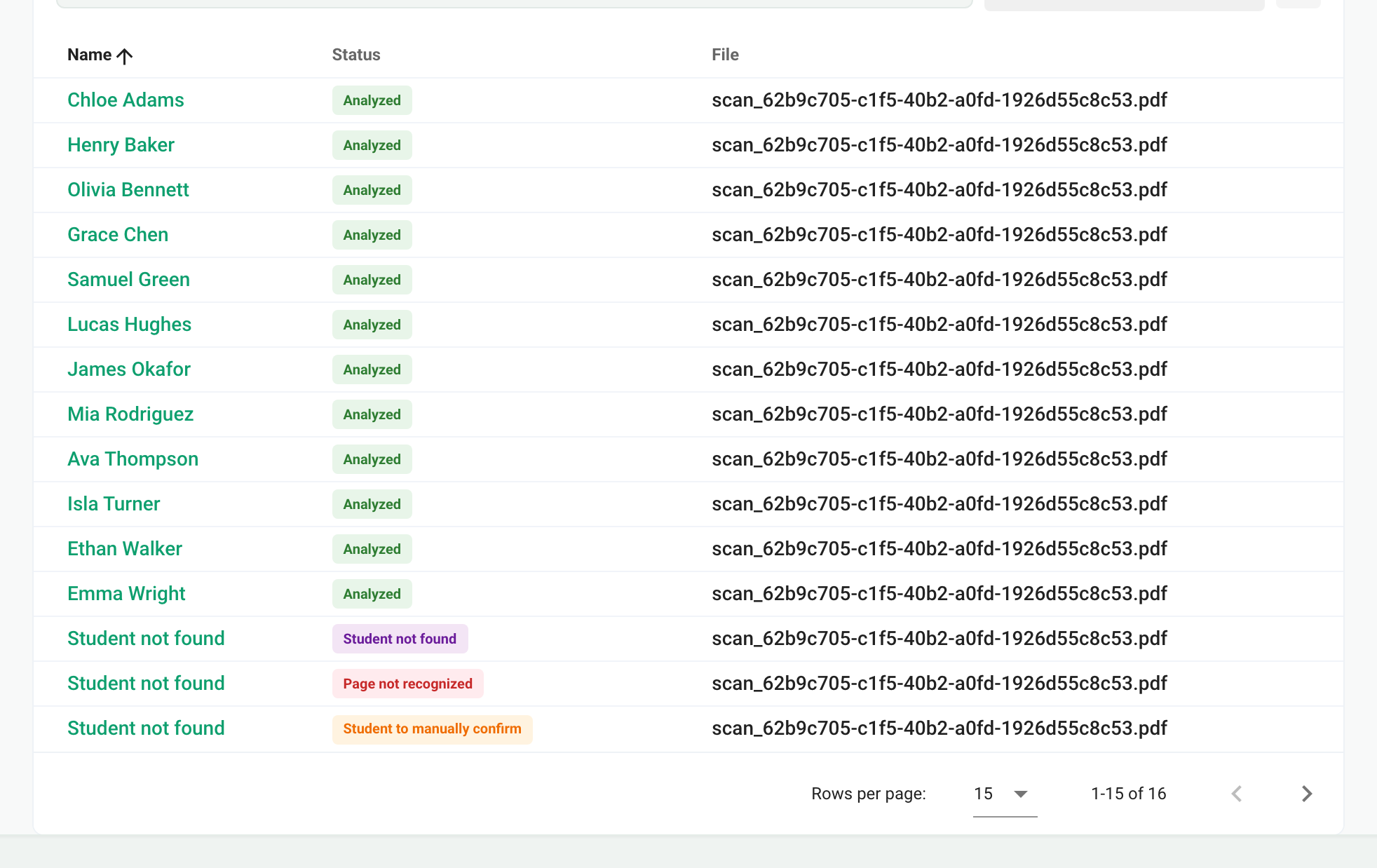
The Answers modified column flags the pages whose boxes you fixed, and Student modified the ones you matched by hand.
Rerun the analysis or archive several pages
Check pages in the list to show the bulk actions: Rerun analysis (for example after enrolling a missing participant) or Archive (to set aside extra pages). Archiving deletes the answers and any grade linked to them.
Frequently asked questions
All my copies are "Student not found"
All my copies are "Student not found"
In anonymous mode, Papeez only searches among the participants enrolled in the exam. Check that they are enrolled in the Students tab, then select the pages in the list and click Rerun analysis. See Import participants.
A nominative copy is matched to the wrong participant
A nominative copy is matched to the wrong participant
In nominative mode, the copy is matched to the participant whose name is printed on it. If a participant filled in someone else's copy, open the page and change the participant: see Match a copy to a participant.
Was this helpful?
Still need help? Ask the team