Fix the boxes read on a copy
Fix a box misread on a scanned answer sheet: the grade is recalculated.
Written By Florian Barral
Last updated 9 days ago
Papeez reads the filled-in boxes on each scanned page. If a participant erased an answer poorly, marked a box very lightly or circled a box instead of filling it in, you can fix what was read. The grade is recalculated right away.
Fix the boxes of a page
In Scan › Import scans, click the participant's page in the list of scanned sheets.
The scanned page shows, with the boxes read by Papeez. Click Edit answers.
Check or uncheck the boxes the participant actually chose.
Click Save.
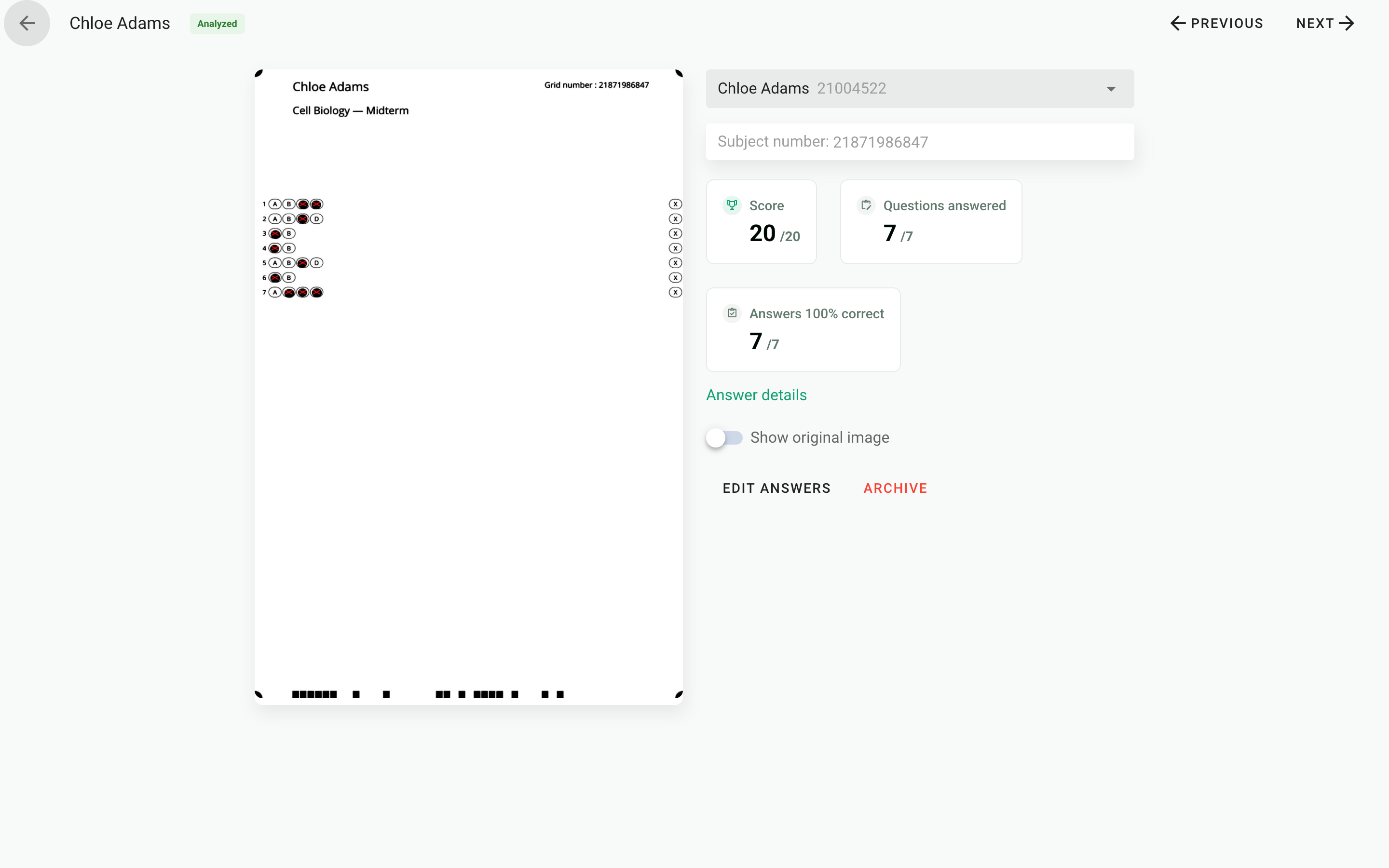
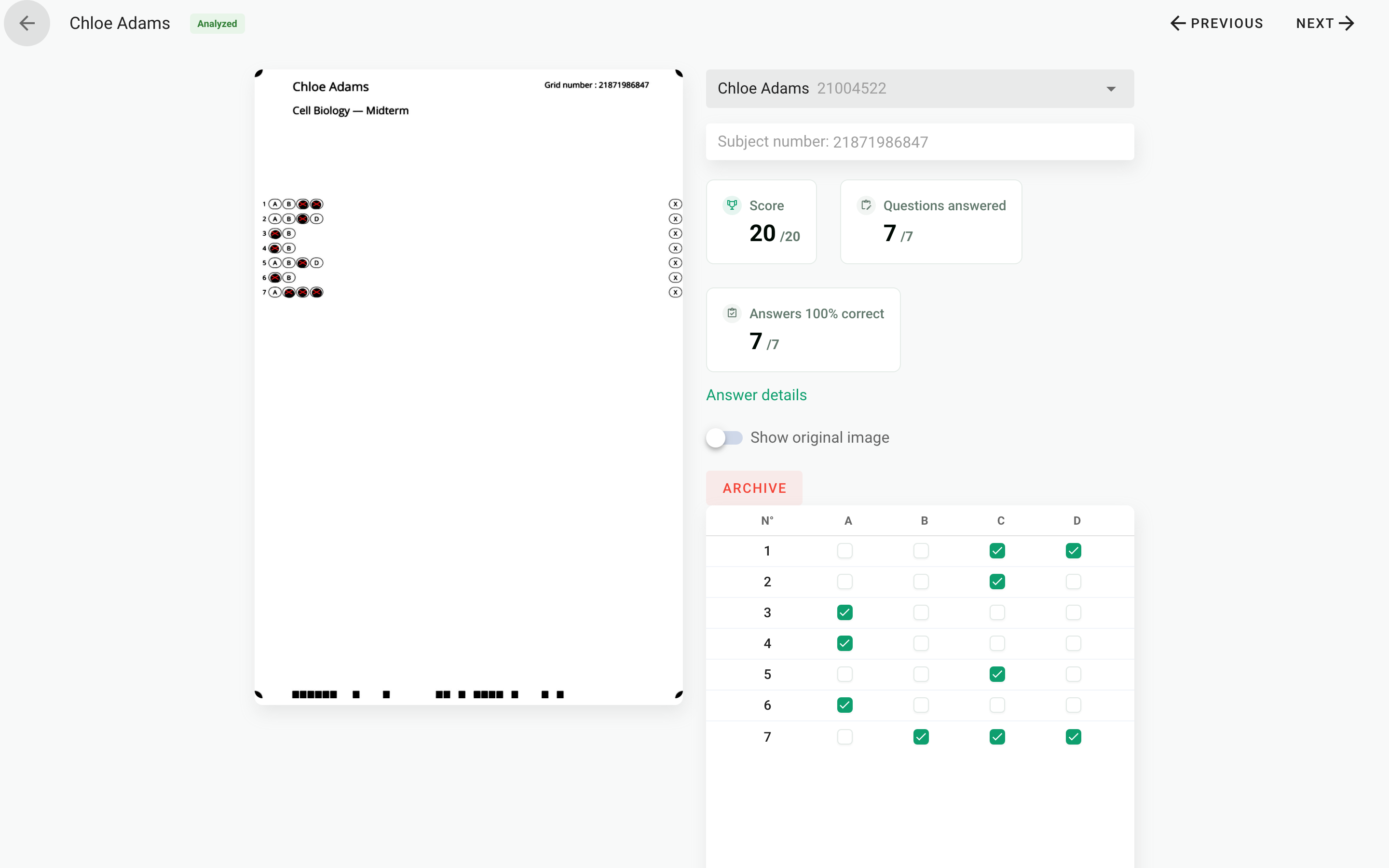
The page is flagged in the Answers modified column of the list. On the image, the red marks remain those of the automatic reading: the grade, however, takes your fixes into account.
The Previous and Next buttons at the top of the page let you move from one copy to the next without going back to the list.
Check a copy against its subject
If the order of the questions or choices is shuffled, the boxes on the sheet do not follow the order of the answer key. In the Results tab, open the participant's copy, then View submission: Papeez shows the scanned page and offers to Download subject for this copy so you can compare.
It is not a reading problem
If every copy is wrong on the same question, it is the correct answer in the subject that needs fixing, not the boxes. See Fix the subject and recalculate grades.
Was this helpful?
Still need help? Ask the team