What to do with an unrecognized page?
Crop, enter the subject number or archive a scanned page that Papeez did not recognize.
Written By Florian Barral
Last updated 9 days ago
A page is "unrecognized" when Papeez could not link it to a copy of the exam. In Scan › Import scans, click Details next to unrecognized pages. For each page, Papeez shows the scanned image and suggests possible reasons: choose the one that fits.
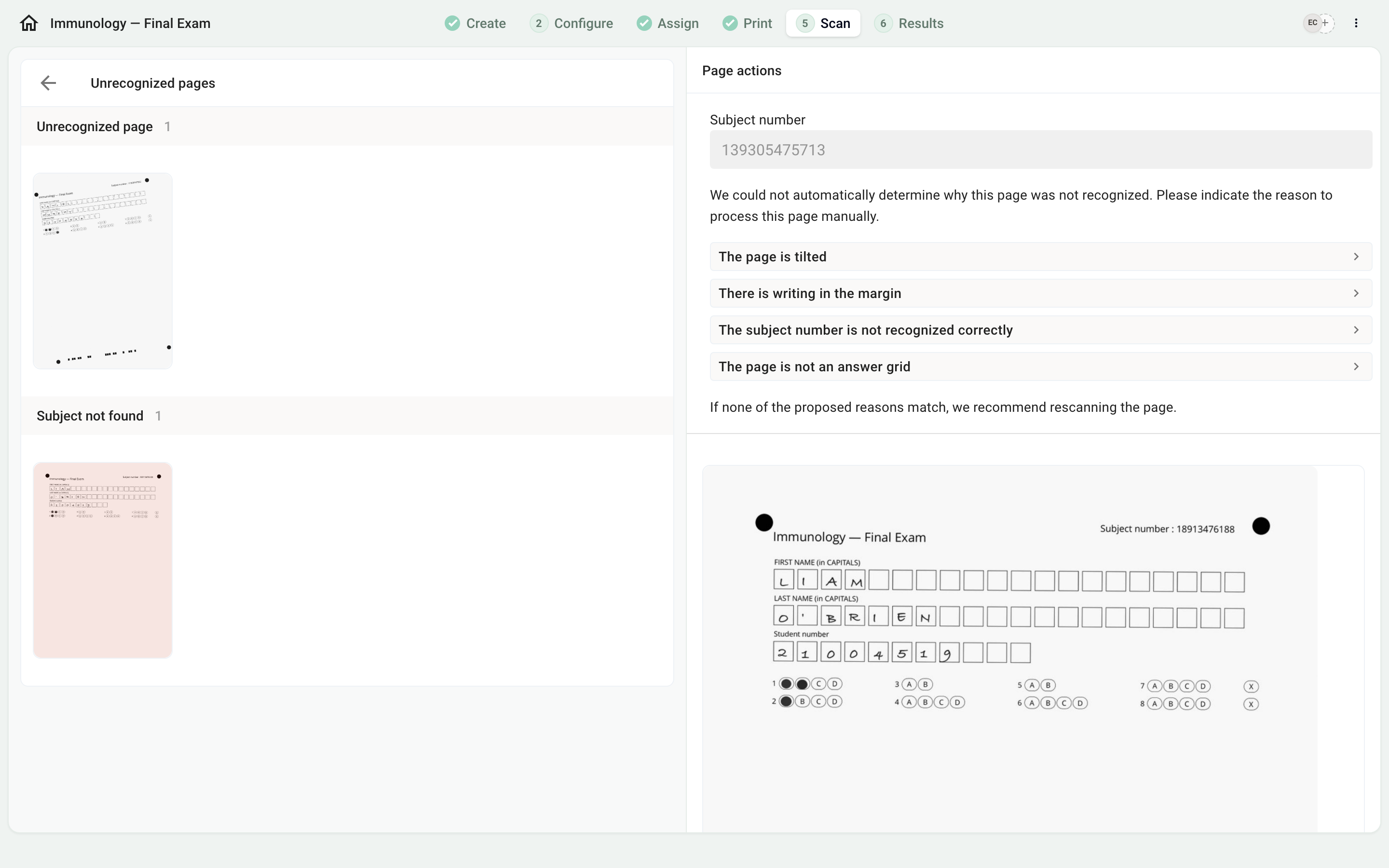
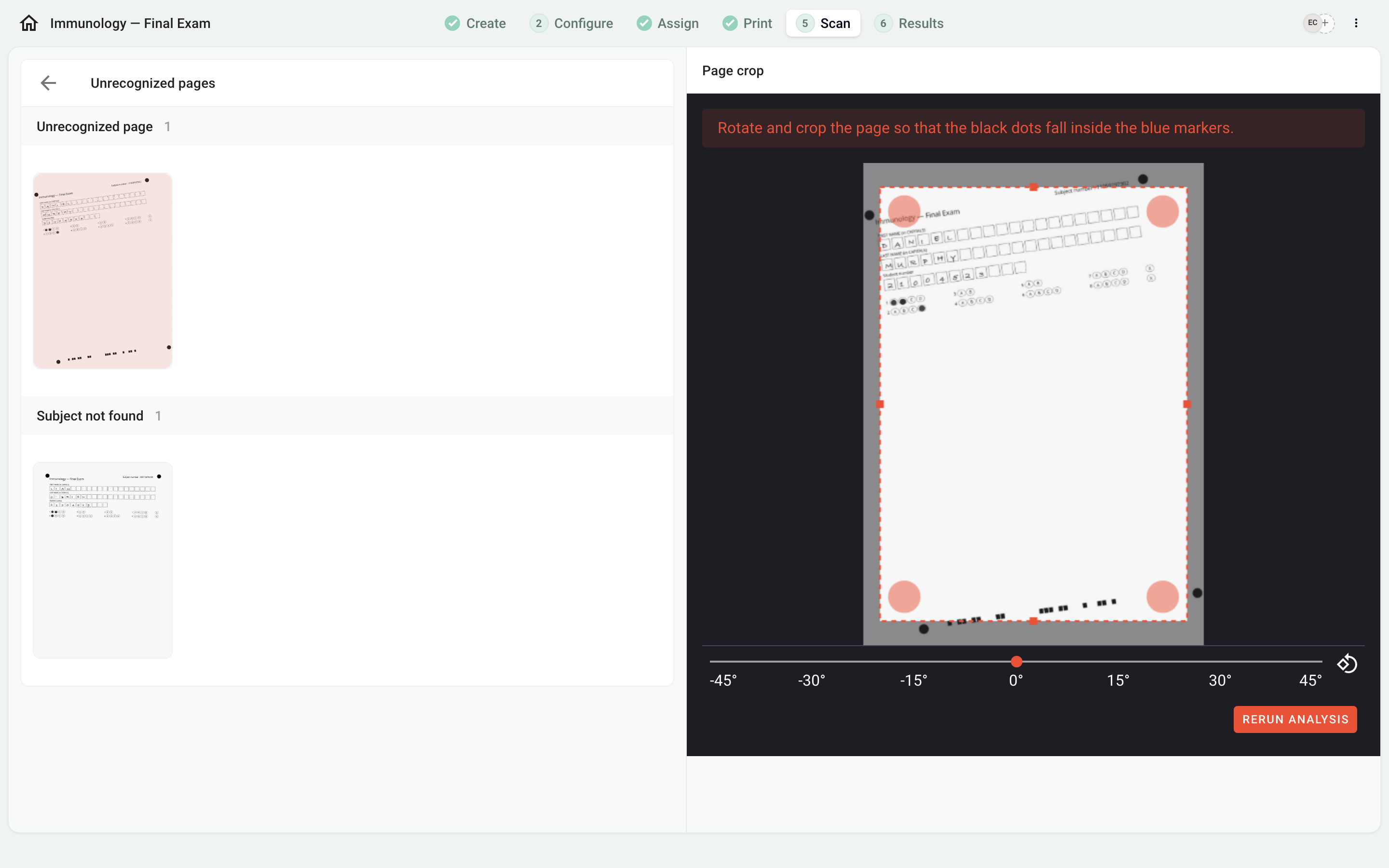
The page is tilted, or there is writing in the margin
Papeez opens a cropping tool. Rotate the page if needed and crop it so that the four black dots fall inside the circles drawn in the corners, then click Rerun analysis.
The subject number is not recognized correctly
The barcode is damaged, hidden or badly printed. Enter the subject number printed at the top of the answer sheet, then click Rerun analysis.
The page is not an answer grid
A question sheet or a blank back slipped into the scan. Choose this reason to archive the page: it no longer counts.
The copy belongs to another exam
Papeez recognized an answer sheet from another of your exams. Archive it here, then import it into the right exam.
Duplicate
A page with the same barcode has already been analyzed: the same sheet was scanned twice. Archive the duplicate: check it in the list of scanned sheets, then click Archive.
If no reason fits, rescan the page on its own, straight, then import the new file and archive the old page.
To avoid these cases at your next exam, see Scan the answer sheets correctly.
Was this helpful?
Still need help? Ask the team