Set the grading scheme
Set the points for MCQ, single-choice and True/False questions, understand a 0.33 grade, and recalculate grades.
Written By Florian Barral
Last updated 9 days ago
The grading scheme decides how many points each answer to a multiple-choice, single-choice or True/False question earns. The points of each question are set in the subject; the scheme then applies to all questions.
How it works
Before the question's points are applied, each answer is graded out of 1. For example, an answer graded 0.5 on a 2-point question earns 1 point.
The scheme is set in the Configure tab, MCQ Grading card. Two modes are available: Classic scoring (only the checked choices count) and Discordance scoring (both checked and unchecked choices count).
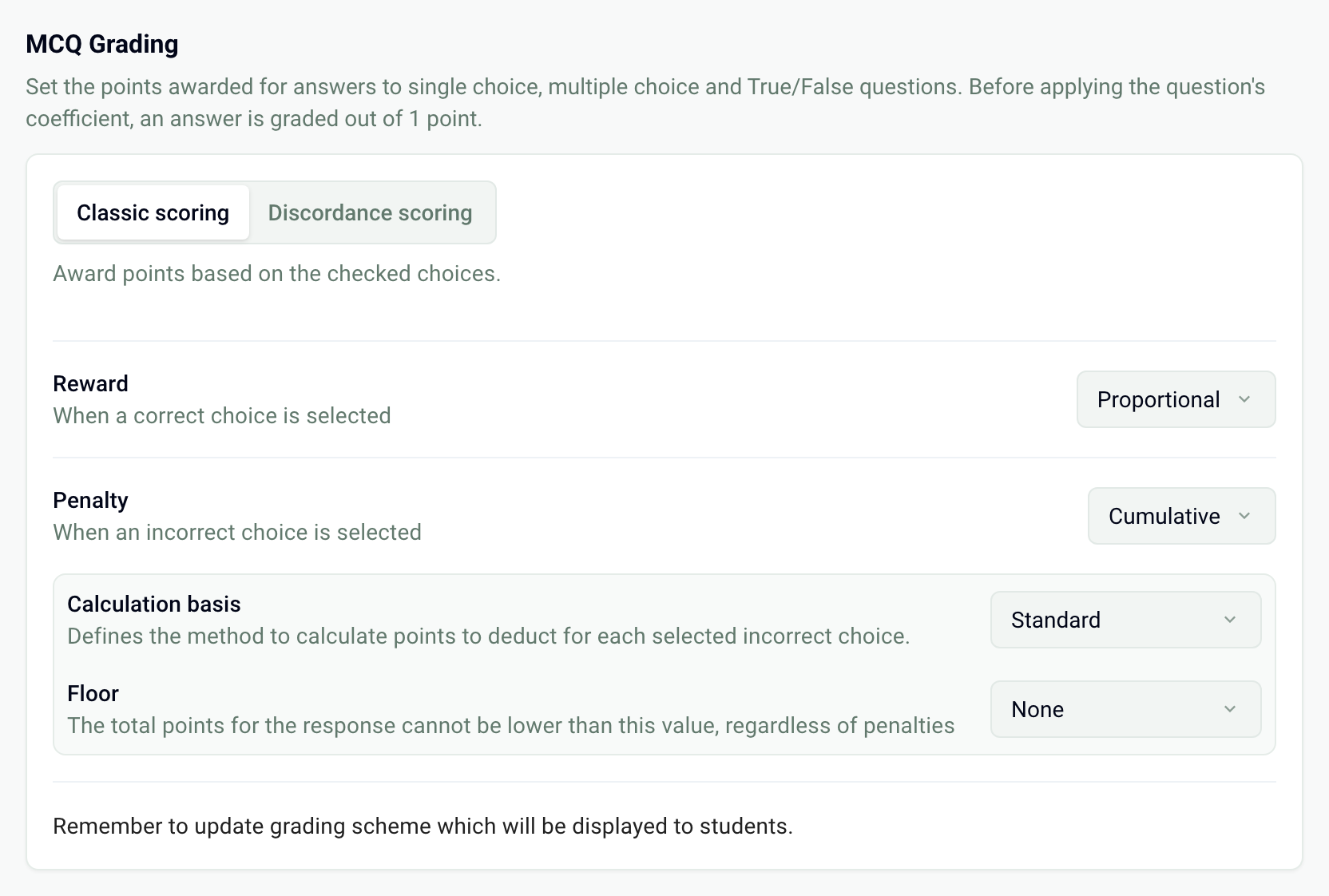
Classic scoring
Reward, when a correct choice is selected:
All or nothing: 1 if all the correct choices are checked, otherwise 0.
Proportional: each checked correct choice earns 1 ÷ (number of correct choices).
Penalty, when an incorrect choice is selected:
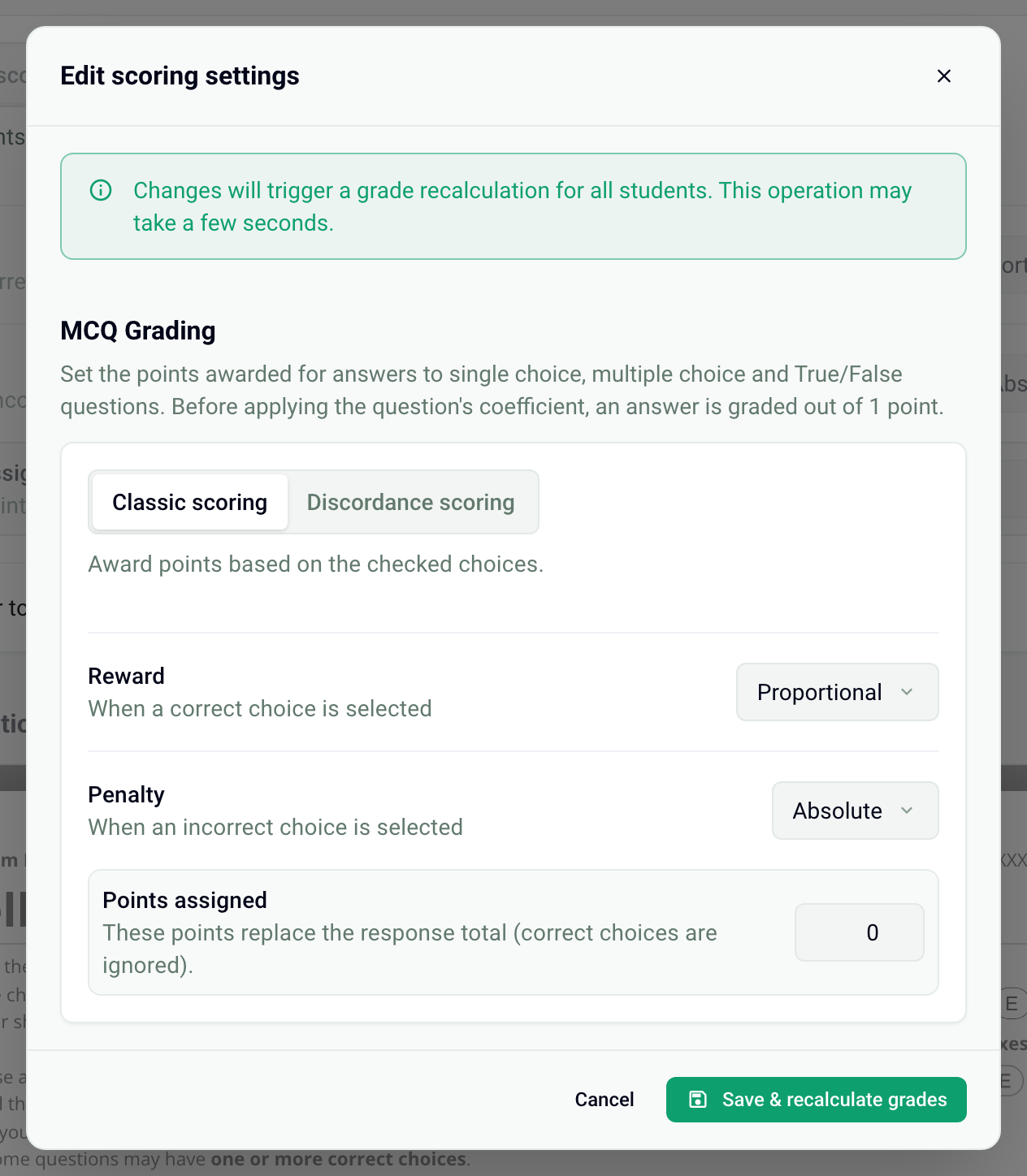
Absolute: as soon as an incorrect choice is checked, the answer is worth the Points assigned (0 by default, or a negative value).
Cumulative: each checked incorrect choice removes points, according to the Calculation basis.
With a cumulative penalty, the Floor sets the minimum grade of an answer: None (it can be negative), 0 or Custom.
A new exam is set to Proportional and Absolute at 0: a single checked incorrect choice gives 0 for the question. A question left unanswered is always worth 0, with no penalty.
Worked example
An MCQ question has 4 choices: 1 correct and 3 incorrect. Proportional reward, Cumulative penalty, Standard basis: each checked incorrect choice removes 1 ÷ 3 = 0.33.
The grade is then multiplied by the question's points. This calculation explains grades like 0.33 or 0.67 on the same question.
Discordance scoring
A discordance is a difference from the expected answer: a correct choice not checked, or an incorrect choice checked. A table gives the grade according to the number of choices in the question (rows) and the number of discordances (columns). A perfect answer is always worth 1. Edit the other cells; an empty cell is worth 0.
Note: in this mode, an unanswered question is not necessarily graded 0. Each unchecked correct choice counts as a discordance, and the grade is the one in the table. For example, with the default values, a 4-choice question with 1 correct choice left blank is worth 0.5.
Change the scheme after generating the copies
Once the copies are generated, the card is locked.
Click Edit scoring, at the top of the card.
Change the settings in the window.
Click Save & recalculate grades. The grades of all participants are recalculated in a few seconds.
To fix a wrong correct answer in the subject, see Fix the subject and recalculate grades.
Grading scale
In the Assessment card, the Grading scale sets the maximum grade of the exam (out of 20 by default). The points earned are converted to this scale.
Was this helpful?
Still need help? Ask the team