Shuffle questions and choices
Generate different copies by shuffling sections, exercises, questions or choices.
Written By Florian Barral
Last updated 9 days ago
To limit cheating, Papeez can generate copies that are all different: the order of the sections, exercises, questions or choices changes from one copy to another. Each answer sheet matches its subject sheet, and automatic grading takes the order of each copy into account.
Turn on random order
Open the Configure step, Statement section.
In Random order, check one or more levels (default: None).
Then generate the copies.
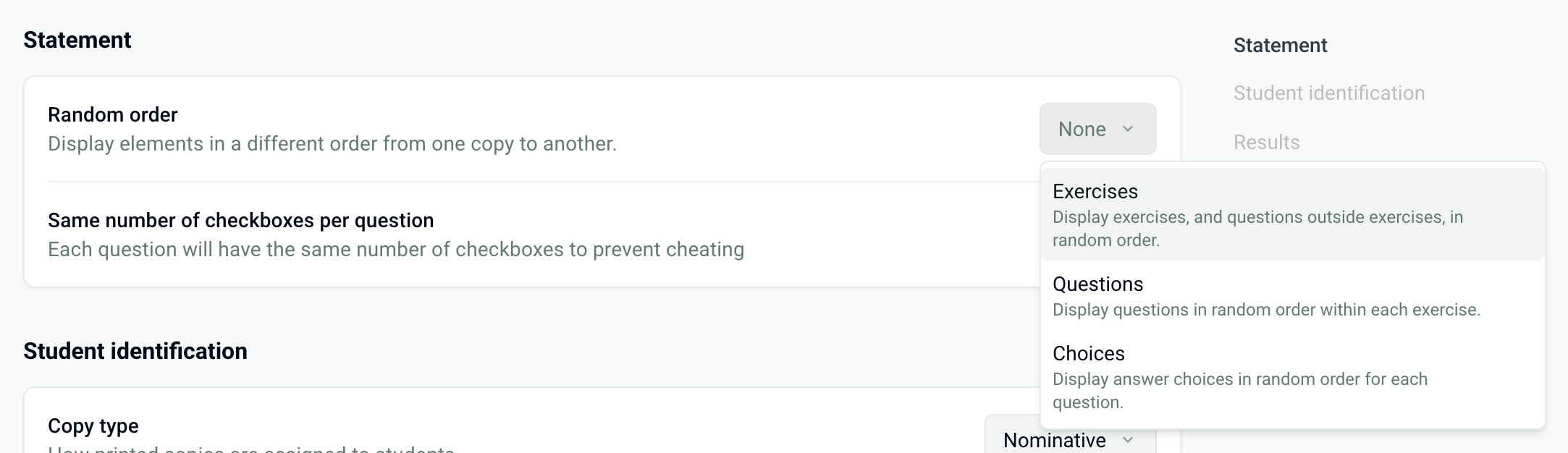
The available levels depend on the structure of your subject:
Levels can be combined: for example Exercises and Choices to shuffle the exercises without breaking the sequence of their questions. To group questions into exercises, see Structure a subject: sections, exercises, questions.
What changes on the answer sheet
The answer sheet follows the order of its copy: row 1 matches the first question of that copy, and its boxes match the choices in the order they are printed. Each row has as many boxes as the question has choices. See Understand the answer sheet.
Turn on Same number of checkboxes per question, just below, so that all rows have the same number of boxes: a participant can no longer spot a question on a neighbor's sheet from its number of boxes.
Complementary statement: questions stay in order
A Complementary statement is a block of text placed in an exercise, for example a document or a case to read before the questions. In an exercise that contains one, the questions are never shuffled, even with the Questions level: the text keeps its place before the questions that depend on it. The whole exercise can still move with the Exercises level, and its choices can be shuffled with Choices.
Blank pages in some copies
A question and its choices stay on the same page. Depending on the order drawn, one copy may therefore take one more page than another. All copies are then padded with blank pages to have the same number of pages. To reduce them, see Why are there blank pages in my copies? and Lay out the subject: columns, font, size.
After the copies are generated
Random order can no longer be changed once the copies are generated. To change it, delete the copies in the Print step, change the setting, then generate them again. See Generate the copies to print.
Frequently asked questions
The Sections level does not appear
The Sections level does not appear
It is only offered if the subject contains several sections.
How do I check a participant's copy with its shuffled questions?
How do I check a participant's copy with its shuffled questions?
In Results › Grades, open the participant's submission, then View submission: Papeez shows the scanned page and offers to Download subject for that copy, in its order. See View grades and submissions.
Should I avoid the choice "None of the above"?
Should I avoid the choice "None of the above"?
With the Choices level, this choice can end up at the top of the list and lose its meaning. Reword it (for example "None of these answers") or do not turn on choice shuffling.
Was this helpful?
Still need help? Ask the team