Generate copies in batches
Split anonymous copies into batches, one per room, and share them with your print shop.
Written By Florian Barral
Last updated 9 days ago
In anonymous mode, Papeez can split the copies into batches, for example one per exam room. Each batch is a separate PDF, preceded if you wish by a cover page with its name and number of copies.
Batch distribution is only available in anonymous mode. See Nominative or anonymous copies.
Create the batches
In the Print tab, turn on Batch distribution.
Turn on With cover page if you want a cover page in front of each batch.
For each batch, enter the Quantity of copies and a Name. Add batches with New batch. The name of the generated file shows on the right, and the total number of copies below.
Click Generate batches.
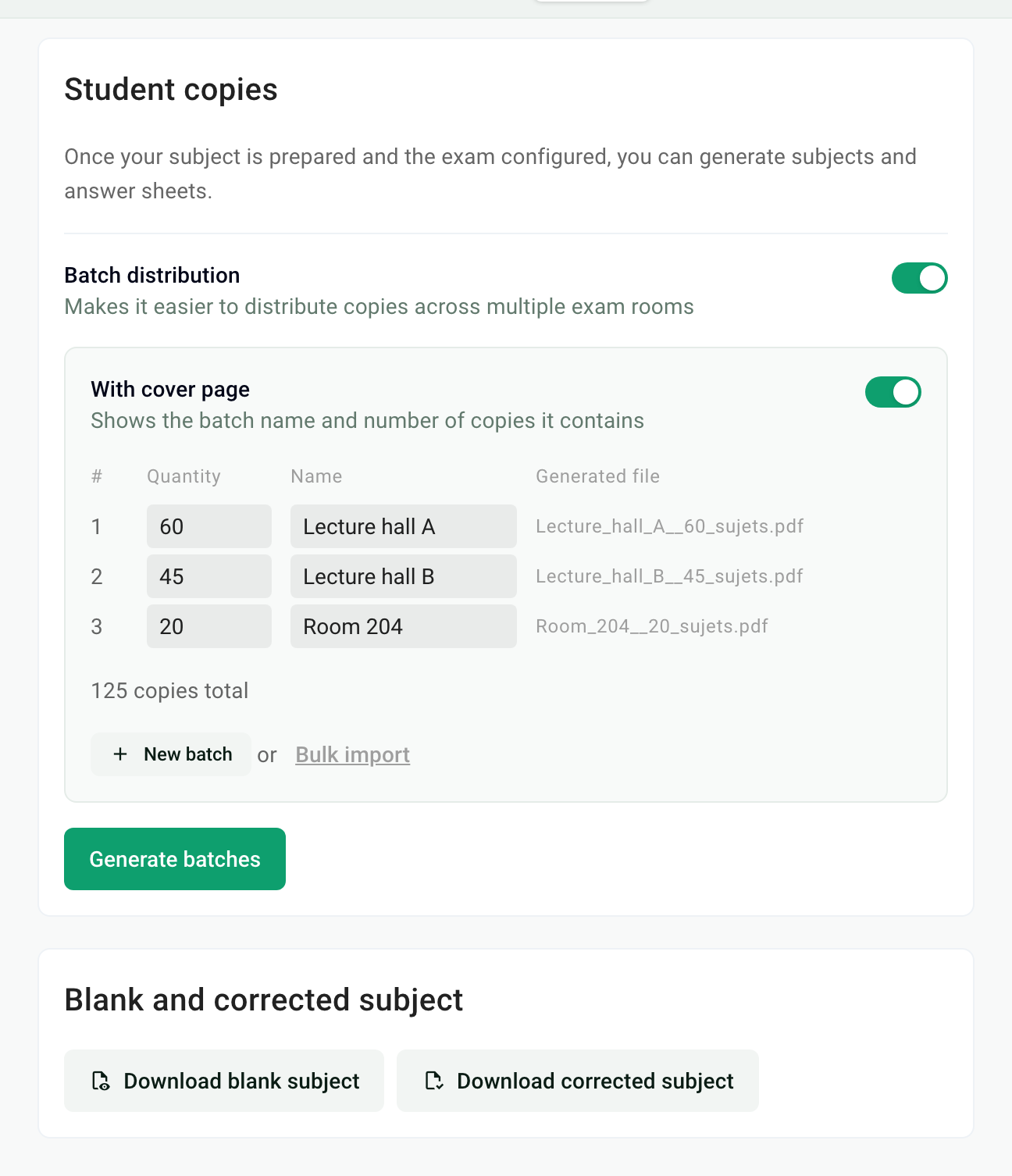
Lots of batches? Click Bulk import, download the Excel template, fill it in, then import it. The import replaces the batches already entered.
Download and share the batches
Once generation is done, click Download all batches to get a .zip with one PDF per batch.
To hand printing over to a colleague or your print shop, share the link shown under Share download link. It gives access to the batches without a Papeez account. To cut off access, regenerate the link with the icon next to it: the old link stops working.
Was this helpful?
Still need help? Ask the team