Lay out the subject: columns, font, size
Choose the subject's font, font size and number of columns, for the whole exam or a single block.
Written By Florian Barral
Last updated 9 days ago
Set the font, the text size and the number of columns of the printed subject. Putting choices or questions on two columns often halves the number of pages.
Set the whole subject
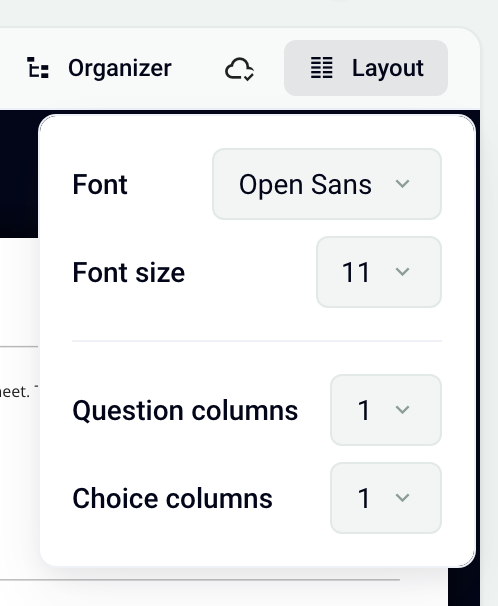
In the Create step, Subject tab, click Layout at the top right.
Choose the Font and the Font size (11 is recommended).
Choose 1 or 2 Question columns: the questions of each exercise are printed side by side.
Choose 1 or 2 Choice columns: the choices of each question are printed on two columns.
The Preview on the right shows the result.
Set one exercise or question
An exercise or a question can have its own number of columns. Hover over the block: a trash can and a six-dot handle appear on its left. Click the handle to open its options, then:
on an exercise: Question columns › 1 or 2;
on a question: Choice columns › 1 or 2.
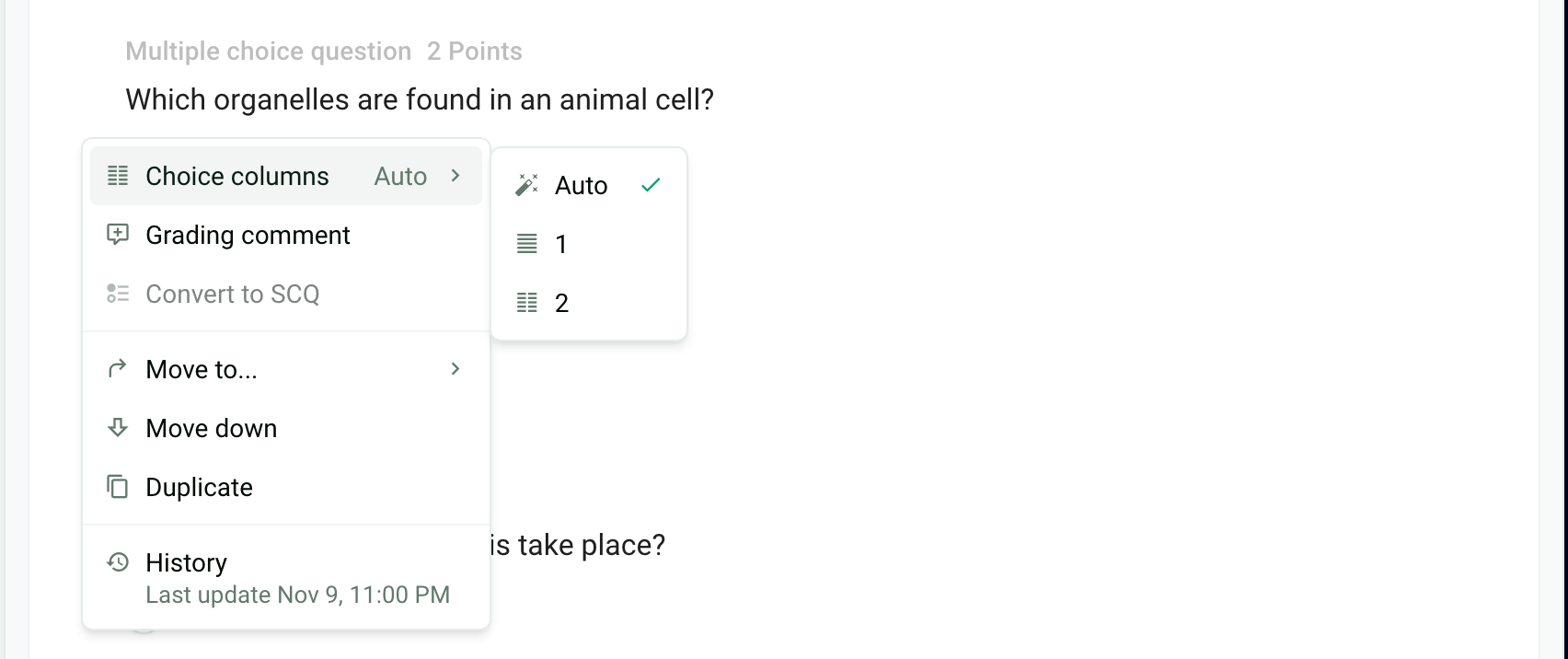
Auto uses the value chosen in Layout. A small columns icon flags a specific setting, next to the question's points or the exercise's name.
Page breaks
Papeez never splits a question across two pages or two columns: its statement and its choices stay together. The heading of an exercise or a section also stays with what follows it. There is no manual page break setting. To give the subject more room, switch to one column or increase the font size.
Black and white printing
In Configure › Personalization of instructions, turn on Optimize subject for black and white printing: code blocks in particular render better. In the Preview, the Greyscale option shows the subject without colors. See Customize the instructions and sheets.
Frequently asked questions
The Layout button is grayed out
The Layout button is grayed out
The copies have already been generated. The layout is part of the printed subject: to change it, delete the copies, change the layout, then generate them again. See Generate the copies to print.
Can I print one question per page?
Can I print one question per page?
No, there is no page break setting. Papeez does, however, keep each question whole on a single page.
Was this helpful?
Still need help? Ask the team