Import a subject in Text format
Copy and paste a subject written in Word, using the Text syntax.
Written By Florian Barral
Last updated 9 days ago
The Text format lets you import a subject written in Word or in a text editor: you copy and paste the text, and Papeez creates the questions.
Import a subject in Text format
In the Create › Subject tab, click Import. The button shows as long as the subject is empty; otherwise, go through the exam's ⋮ menu › Import › Subject.
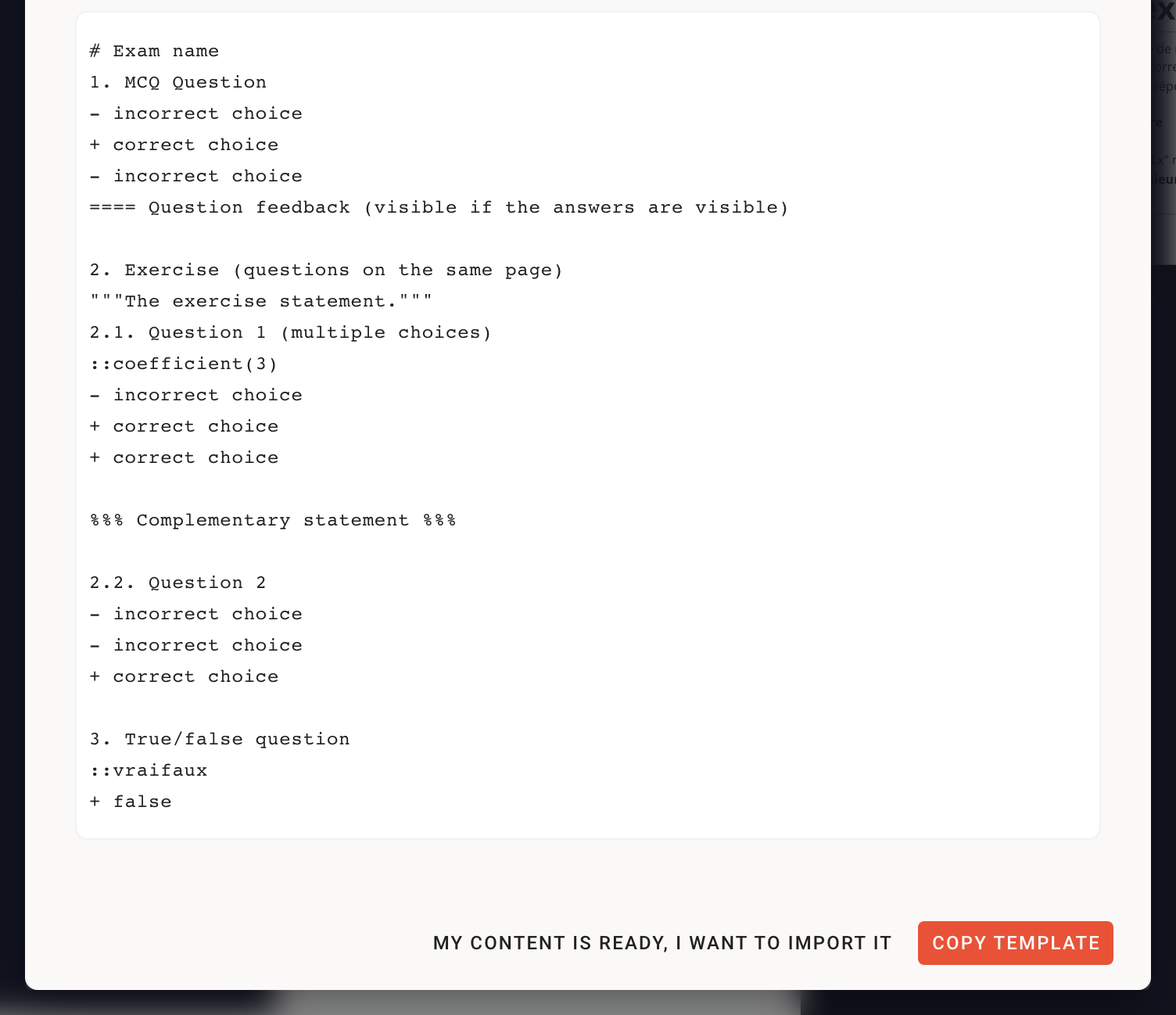
Choose the card to the right of Excel: Copy-paste your exam with…
Click Copy template to start from an example, or My content is ready, I want to import it.
Paste your text, then click Import. If a line does not follow the syntax, Papeez points it out in the window.
An import replaces the whole subject: sections, exercises and questions. Import before generating the copies: once the copies are generated, the subject can no longer be edited (except points, correct answers, tags and grading comments).
The syntax
Every question is imported as an MCQ, even with a single +. For a single-answer question, add the line ::single below the question. You can also convert the questions to SCQs after the import, in the editor.
Example
# Biology midterm

## Part 1 — The cell

1. Which organelle produces most of the ATP?
::single
+ The mitochondrion
- The ribosome
- The Golgi apparatus
==== The mitochondrion is where cellular respiration takes place.

2. Cell structure
"""Answer the following questions using the diagram handed out."""
2.1. Which elements are found in an animal cell?
::coefficient(2)
+ A nucleus
+ Mitochondria
- A cell wall
- Chloroplasts

2.2. The plasma membrane is permeable to all molecules.
::vraifaux
+ false
Formulas, code and images
Write formulas between $…$. To show a $ as is (in an Excel formula, for example), put the text in a Code block in the editor afterwards. Images are also added in the editor: see Edit and format content.
Frequently asked questions
My single-answer questions became MCQs
My single-answer questions became MCQs
This is the default behavior of the Text format. Add ::single below each single-answer question and import again, or, in the editor, open the question's menu (six-dot handle) › Convert to SCQ.
An open question is rejected
An open question is rejected
A paper exam only contains choice questions (MCQ, SCQ, True/False): open questions are not accepted.
Was this helpful?
Still need help? Ask the team