Time accommodations and exam arrangements
Nothing to set up for extra time on paper: mark the participants concerned on their copy.
Written By Florian Barral
Last updated 9 days ago
A paper exam has no timer in Papeez, so there is nothing to set up for extra time. Proctors grant the additional time in the room. Papeez can, however, help them spot the participants concerned.
Print the accommodation on the copy (nominative copies)
With nominative copies, each copy carries its participant's name. Add a custom attribute, for example "Accommodation", and print its value in the instructions: proctors see the information as they hand out the copies.
In the Students tab, click the tag icon to the left of Add, then create the "Accommodation" attribute.
In the new column, enter "Extra time" for the participants concerned. Leave the cell empty for the others.
In the Configure tab, Personalization of instructions card, add the attribute to the instructions: type "/" then choose Variable: Accommodation. Click Register.
Generate the copies.
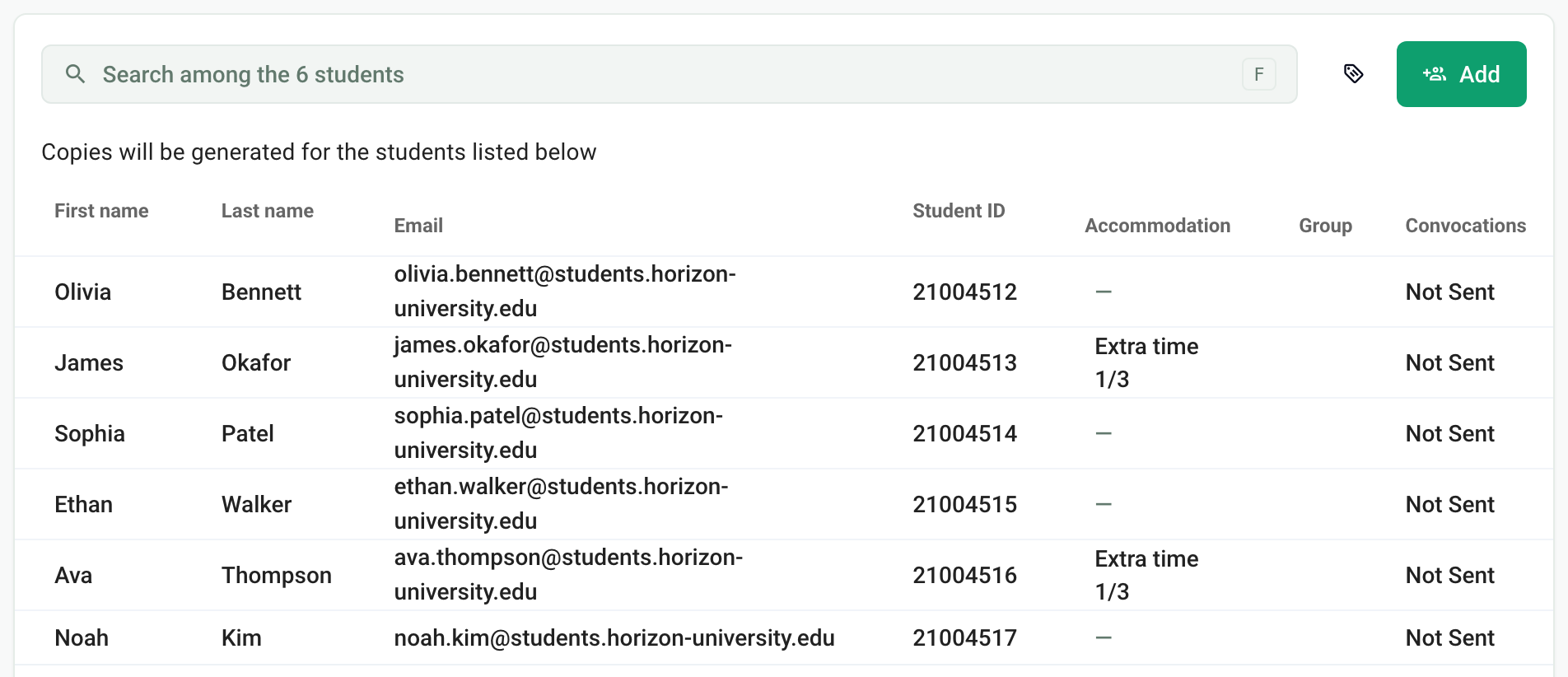
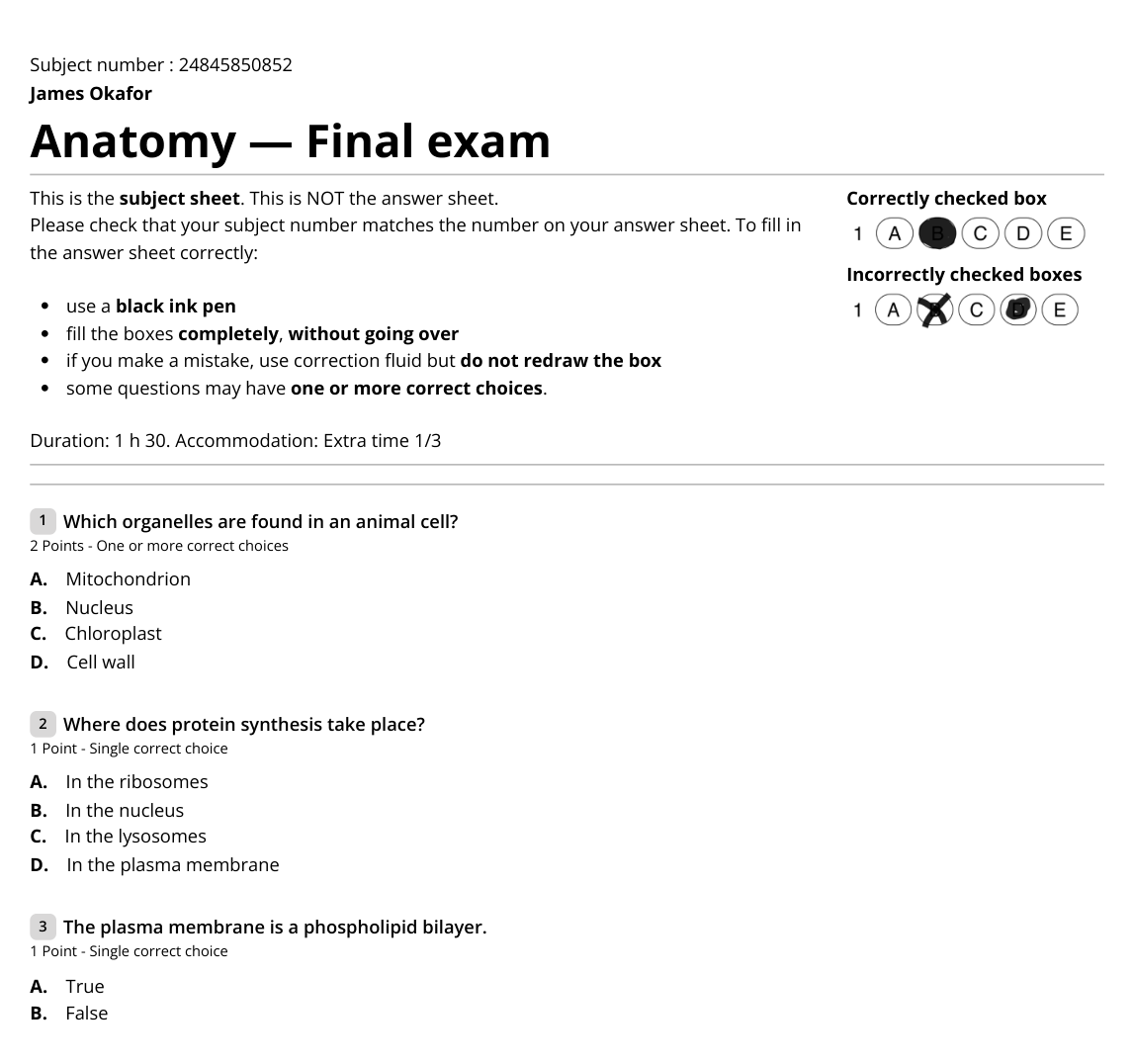
For participants with no value, the attribute is printed empty. If you write "Accommodation:" before the variable, that text appears on all copies: put the variable alone on its line so that it only appears on the copies concerned.
Nominative copies are generated once: if you change a value after generation, delete the copies and generate them again. See Add custom attributes.
With anonymous copies
Anonymous copies are not linked to anyone before the scan: custom attributes stay empty. To prepare the copies for a dedicated room, use batch distribution and create an "Extra time" batch with the number of copies needed. See Generate copies in batches.
Frequently asked questions
Do I need to declare extra time in Papeez?
Do I need to declare extra time in Papeez?
No. The exam duration is not managed by Papeez: proctors grant the additional time. Marking the participants concerned on their copy is optional.
Does extra time change the grading?
Does extra time change the grading?
No. Copies are scanned and graded the same way for all participants.
Was this helpful?
Still need help? Ask the team