Exercise pools and random drawing
Create an exercise pool and draw different versions from it for each copy.
Written By Florian Barral
Last updated 9 days ago
An exercise pool groups several versions of the same exercise. A random draw placed in the subject picks one or more versions from it, different for each copy: two participants sitting next to each other do not get the same questions.
How it works
The pool contains the exercises, in the Pools tab.
The random draw goes in the subject, where the drawn exercises must be printed, with the number of exercises to draw.
On generation, each copy gets its own draw. Papeez knows which version each copy carries and grades it accordingly.
If your plan does not include random draws, Random draw appears locked in the Add menu.
1. Create the pool
In the subject, below a block of the section you want, click Add › Random draw.
The block says You do not have a pool yet: click Create a pool. The Pools tab opens.
Give the pool a name (Exercises pool name).
Click New exercise for each version, then add its questions with Add, as in the subject.
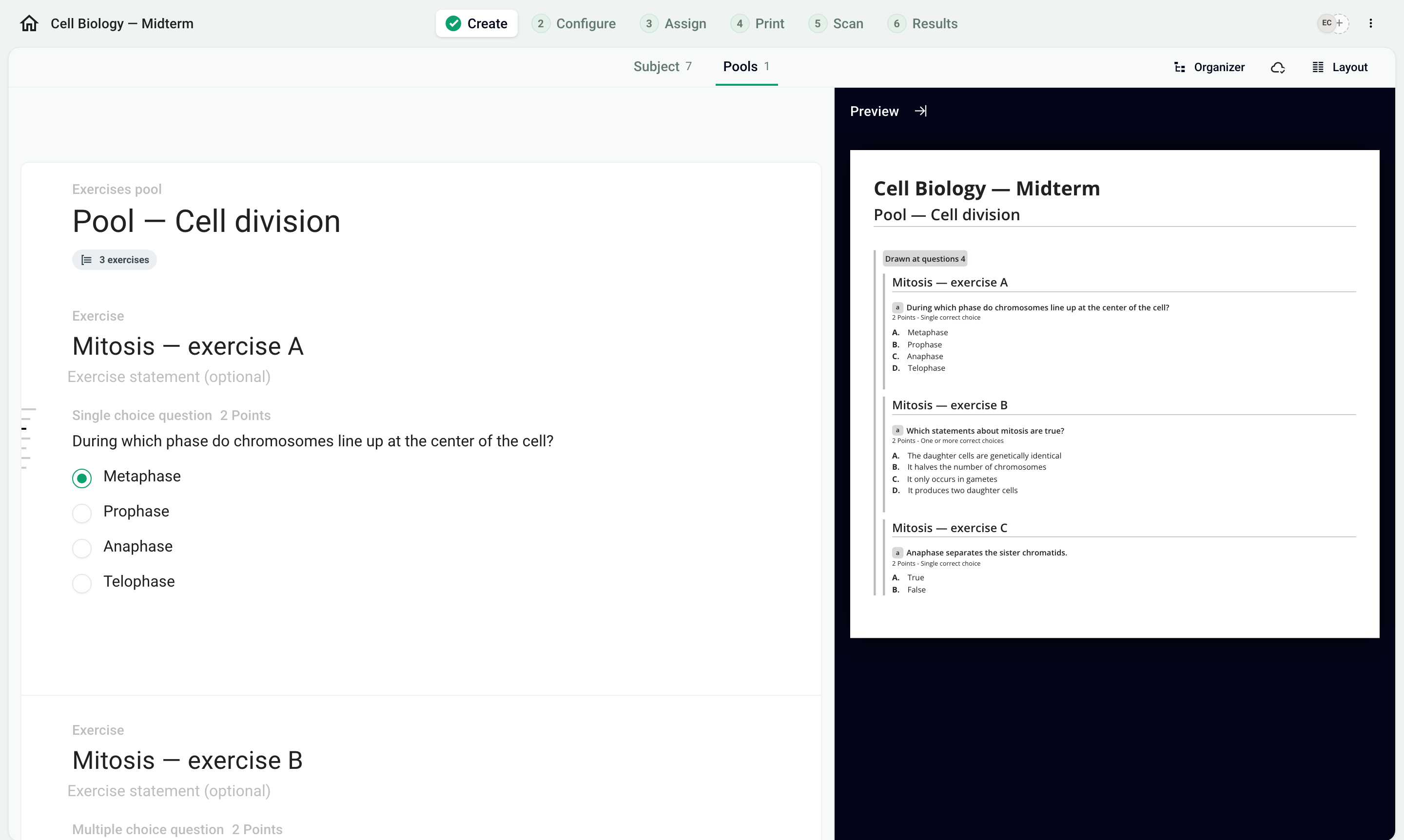
From then on, the Pools tab stays next to Subject. Click Add a pool to create more.
2. Follow two rules
So that all copies have the same answer sheet and the same total, all the exercises of a pool must have:
the same number of questions;
the same number of points in total.
Otherwise, the editor shows an error, for example All exercises in a pool should have the same coefficient, and the copies cannot be generated.
3. Place the draw in the subject
Go back to the Subject tab, to the draw block.
In From, choose the pool.
In Randomly draw, enter the number of exercises to draw. The block shows how many are available.
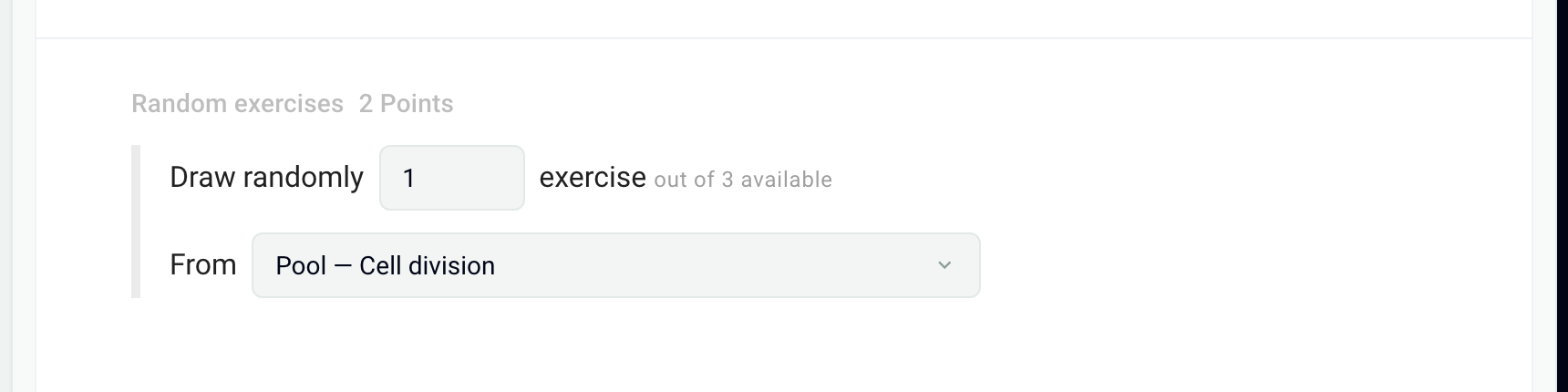
An exercise is never drawn twice on the same copy: the total drawn from a pool, across all draws, cannot exceed its number of exercises.
Check the result
In the Preview, Whole pool shows all the exercises of the draw, and Draw one possible copy. Click New draw to see another one. The blank subject and the answer key contain all the versions, under a label such as Question 4 - random draw of 1 out of 3: the answer key thus works for every copy. See Download the blank subject or answer key.
Frequently asked questions
Can I draw random questions rather than exercises?
Can I draw random questions rather than exercises?
The draw picks exercises. To draw questions one by one, create exercises in the pool that each contain only one question.
The number to draw is rejected
The number to draw is rejected
It exceeds the number of exercises available in the pool, counting those already drawn by other draws. Add exercises to the pool or lower the number.
Can I import a pool from Excel?
Can I import a pool from Excel?
Yes: the exam's ⋮ menu › Import › Pool, then the Pools Excel template. The import replaces all the exam's pools. See Import a subject from Excel.
Was this helpful?
Still need help? Ask the team